If you run a website with a login, registration, or password reset form, you might be accidentally handing a massive gift to cybercriminals. It’s called email enumeration, and it’s one of the most common web vulnerabilities flying under the radar today.
Fortunately, there is a straightforward fix: the "Silent Success" approach.
Here is a look at what email enumeration is, why it matters, and how to implement generic "if your email exists" messages to protect your users.
What is Email Enumeration?
Email enumeration happens when your web application reveals whether a specific email address is registered in your database.
When a cybercriminal wants to target your platform or your users, they don't start by guessing passwords. First, they need a list of valid usernames or emails. If your website tells them exactly which emails exist on your platform, you’ve done half their job for them.
The Anatomy of the Leak
Typically, email enumeration occurs through explicit error messages on forms:
- Registration Form: "This email address is already registered." (The attacker now knows this person has an account).
- Login Form: "Incorrect password for this user." (The attacker knows the email is valid; they just need to crack the password).
- Password Reset Form: "We couldn't find an account with that email address." (The attacker can systematically test a leaked list of emails to see who uses your service).
Once an attacker builds a list of valid users, they can launch targeted phishing attacks, credential stuffing campaigns, or brute-force attacks.
The Fix: Implementing "Silent Success"
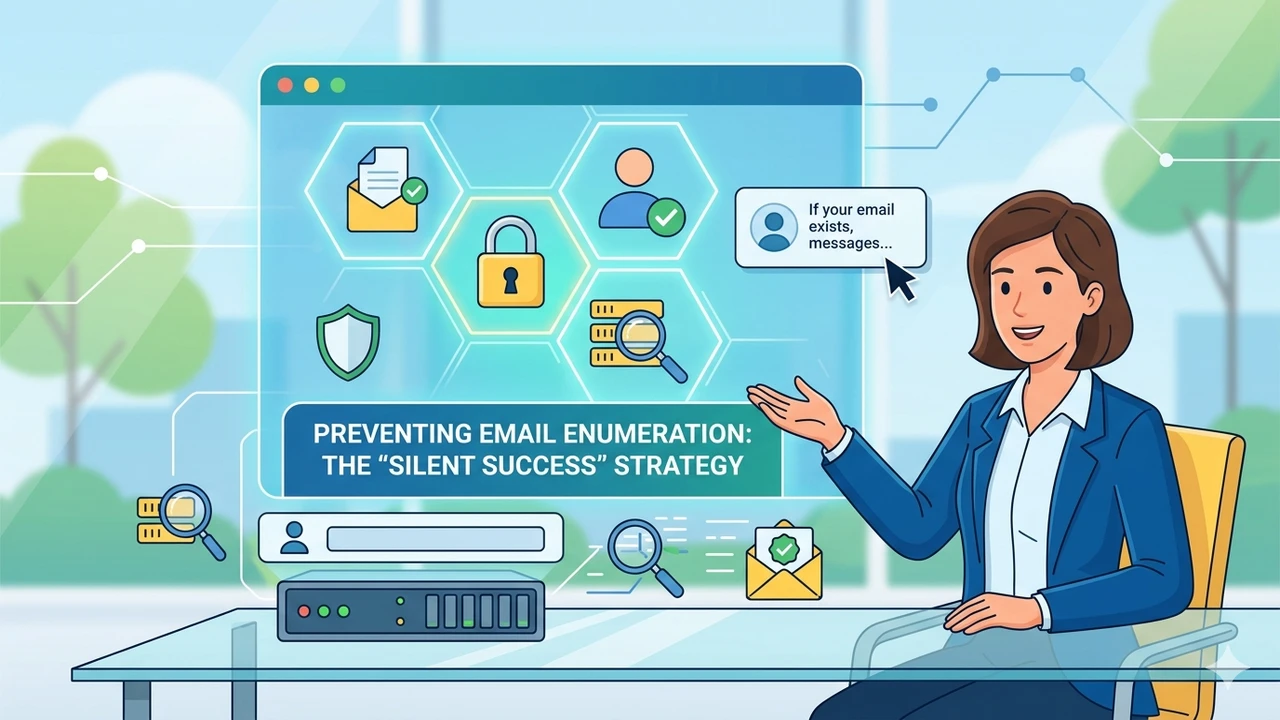
The gold standard for preventing email enumeration is the Silent Success pattern. Instead of giving a definitive answer about whether an account exists, your application returns a generic, identical response regardless of the outcome.
1. The Password Reset Form
Instead of telling the user whether the email was found, use a unified, ambiguous message.
- Bad: "An email has been sent to reset your password." (Implies success) OR "Email not found." (Implies failure).
- Good: "If that email address is associated with an account, we have sent instructions to reset your password. Please check your spam folder if you do not receive it shortly."
Whether the email exists in your database or not, the attacker sees the exact same screen.
2. The Registration Form
Registration is trickier because you can't have duplicate accounts. If someone tries to register with an existing email, you still need to handle it silently.
- The Strategy: Accept the registration request on the frontend and display a success message like: "Thank you for signing up! Please check your email to verify your account."
- Behind the Scenes: If the email is new, send the verification link. If the email already exists, send an email stating: "Someone recently tried to register an account with this email address. If this was you, please log in here. If it wasn't you, you can safely ignore this email."
Technical Gotchas: Watching Out for Side Channels
Fixing the text on your website is only half the battle. Sophisticated attackers don't just look at the words on the screen; they look at how your server behaves.
Response Times (Timing Attacks)
If your server has to look up an email, hash a password, and generate an email token for an existing user, that request might take 300ms. If it rejects a non-existent user immediately, the request might take 20ms.
Attackers can use automated scripts to measure these millisecond differences and determine which emails are real. To prevent this:
- Ensure your database queries are optimized.
- Implement slight, randomized delays or artificially pad response times so that both success and failure requests take the same amount of time.
HTTP Status Codes
Ensure your API returns the exact same HTTP status code (e.g., 200 OK) whether the email exists or not. Returning a 200 OK for a successful find and a 404 Not Found for a miss defeats the purpose of changing the frontend text.
Balancing Security and User Experience (UX)
Critics of the Silent Success approach argue that it hurts user experience. If a legitimate user typos their email during a password reset, they might sit around waiting for an email that is never coming, confused about why nothing happened.
To balance security and UX:
- Provide clear instructions: Remind users on the success page to check their typos, check their spam folders, or try alternative email addresses if they don't receive the message within a few minutes.
- Use Rate Limiting: Prevent attackers from testing thousands of emails a minute by aggressive rate-limiting on login, registration, and reset endpoints.
Final Thoughts
Security is about making things difficult for attackers while keeping them simple for users. By auditing your forms today and switching to generic "if your email exists" messages, you close a major reconnaissance loophole and significantly harden your application against future attacks.